



A fast WordPress website is no longer a luxury—it’s a necessity. Whether you’re a blogger, business owner, or eCommerce site operator, speed directly affects your user experience, bounce rates, and search engine rankings. Google has made it clear: page speed is a ranking factor. If your WordPress site lags, you’re not just losing visitors—you’re leaving SEO value on the table.
1. Choose a Lightweight WordPress Theme

A bloated theme with excessive features can drag down performance. Instead, opt for lightweight, speed-optimized themes like:
Astra
GeneratePress
Hello Elementor
These themes are minimal by design but fully customizable, offering a solid foundation for a fast site.
2. Use a Quality Hosting Provider
Your hosting environment sets the baseline for your site speed. Cheap shared hosting often results in sluggish performance.
Look for hosts that offer:
SSD storage
Built-in caching
PHP 8 support
Data centers near your audience
Top picks: SiteGround, Cloudways, Kinsta, WP Engine.
3. Install a Caching Plugin
Caching reduces server load by storing a static version of your pages. A good caching plugin can dramatically improve load times.
Recommended plugins:
WP Rocket (premium but powerful)
W3 Total Cache
LiteSpeed Cache (if your host supports LiteSpeed servers)
4. Optimize Your Images

Unoptimized images are one of the biggest culprits of slow-loading pages.
Use these strategies:
Resize images before uploading
Compress using tools like TinyPNG or ShortPixel
Serve images in next-gen formats like WebP
Bonus tip: Use lazy loading to delay off-screen image loading.
5. Use a Content Delivery Network (CDN)
A CDN stores your static assets (images, CSS, JS) on servers worldwide. It delivers them from the closest server to your visitor, reducing latency.
Top options:
Cloudflare (free tier available)
BunnyCDN
KeyCDN
6. Limit Plugins and Use High-Quality Ones
Too many plugins—or poorly coded ones—can slow down your site. Regularly audit your plugin list and remove what’s unnecessary.
Choose plugins that are:
Regularly updated
Highly rated
Tested with your WP version
7. Minify CSS, JavaScript, and HTML

Minification removes unnecessary characters (like spaces and comments) from your code, making files smaller and faster to load.
WP Rocket and Autoptimize are great tools for this.
8. Enable GZIP Compression
GZIP compresses your site files before sending them to browsers, saving bandwidth and speeding up load times.
Most caching plugins enable this automatically, or you can set it via .htaccess for Apache servers.
9. Clean Up Your Database
Over time, your WordPress database accumulates junk—revisions, spam comments, and transient options. This can slow down queries.
Use WP-Optimize or Advanced Database Cleaner to:
Delete post revisions
Clear trash and spam
Optimize database tables
10. Update WordPress, Themes & Plugins Regularly

Outdated software not only poses security risks but can also affect performance. Developers often release speed improvements in updates.
Tip: Enable automatic updates where possible but back up before doing so.
11. Disable Hotlinking
Hotlinking is when another site directly links to your images, stealing your bandwidth. This adds load to your server without any benefit.
You can prevent this via your CDN or .htaccess file.
12. Reduce HTTP Requests
Every element on a page—images, scripts, fonts—requires a separate HTTP request. Fewer requests = faster pages.
Quick wins:
Use fewer fonts and icon libraries
Combine CSS and JS where appropriate
Limit external scripts (like unnecessary tracking tools)
13. Use Lazy Loading for Images & Videos
Lazy loading delays the loading of media until they’re needed (when users scroll to them). This speeds up the initial page load.
As of WordPress 5.5+, native lazy loading is enabled by default, but plugins like Lazy Load by WP Rocket offer more control.
14. Preload Key Resources
Preloading tells the browser to fetch important resources early. This can help improve metrics like Largest Contentful Paint (LCP).
Use the <link rel=”preload”> tag in your header, or configure it via your speed optimization plugin.
15. Monitor Performance with Real Tools
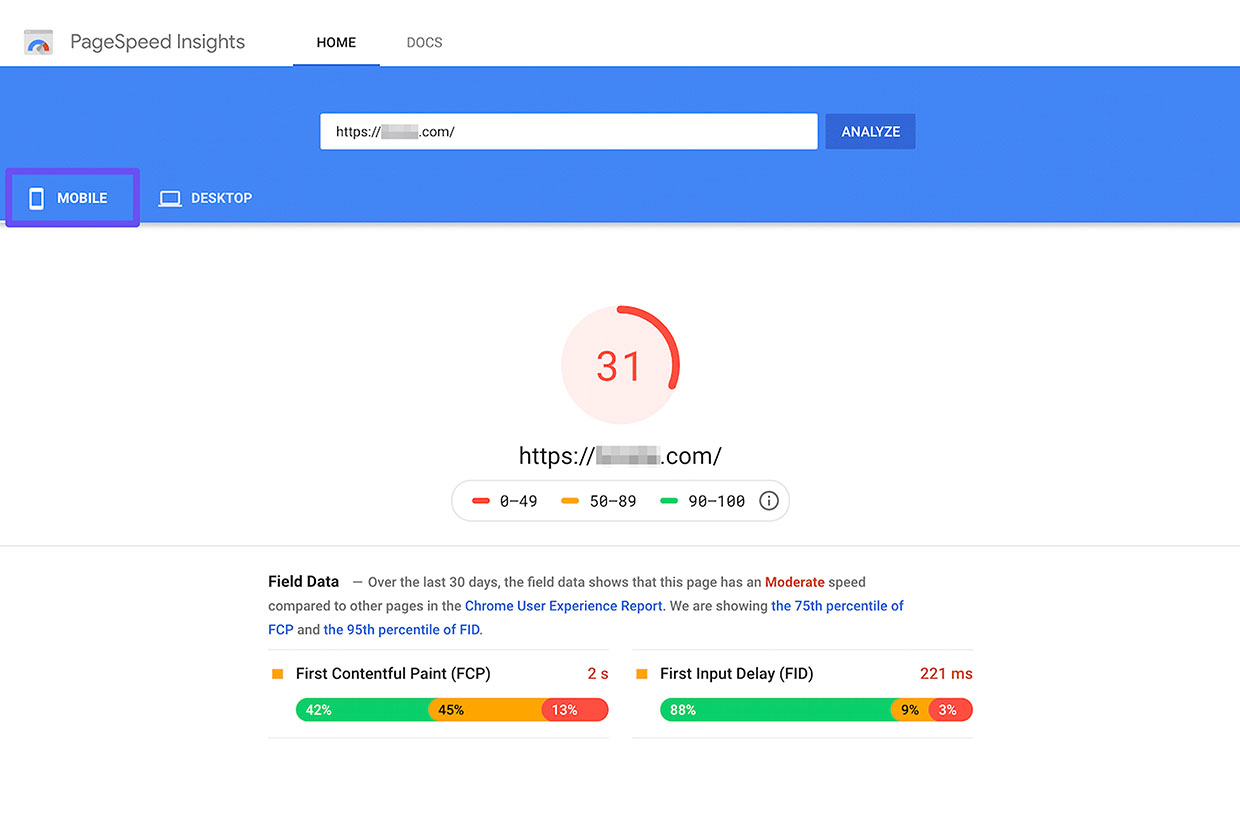
Don’t guess—measure your site’s performance regularly using:
Keep an eye on Core Web Vitals: LCP, FID (INP), and CLS.
Final Thoughts
Speeding up your WordPress site doesn’t have to be overwhelming. These 15 techniques, when implemented thoughtfully, can significantly improve your load times and SEO performance.
Remember, faster sites keep users engaged, reduce bounce rates, and show Google that you’re serious about providing a great user experience—exactly what the E-E-A-T framework emphasizes.
By combining technical best practices with valuable content, you’ll not only impress Google but win over real users too.
